
GPS time tracking vs geofencing: which one your team actually needs
The difference between continuous GPS tracking and punch-time geofence checks, and how to pick the right one without over-collecting location data.
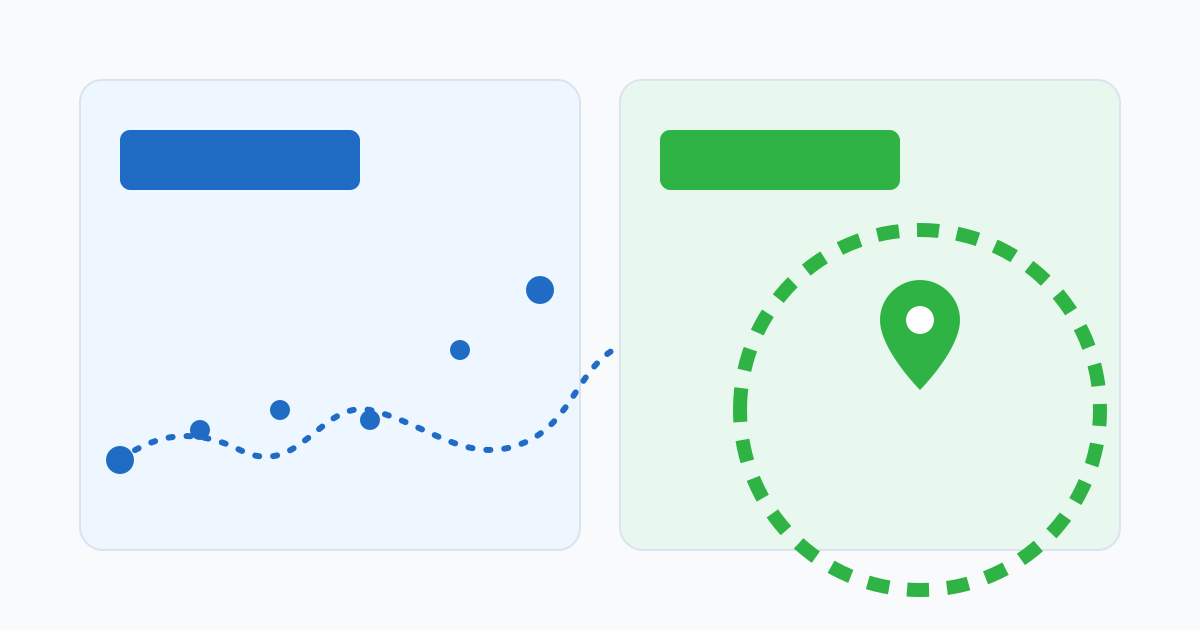
They sound interchangeable. They are not.
“GPS time tracking” and “geofencing” are often described as the same feature. They are related, but they collect very different amounts of data and answer different questions. The distinction matters because the wrong choice produces either weak controls or a level of monitoring that the team does not actually need.
In short:
- GPS time tracking typically records location continuously while the employee is on shift.
- Geofenced attendance checks location only at the moment of punch-in and punch-out, against a configured work area.
Most teams who think they need GPS time tracking actually need geofencing. A smaller number really need continuous GPS for safety or logistics reasons. The decision is worth making deliberately.
What continuous GPS tracking captures
When a system is described as GPS time tracking, it usually means the employee’s device reports its location at regular intervals throughout the shift — sometimes every few seconds, sometimes every few minutes. The record includes:
- The route taken during the shift.
- Time spent at each location.
- Breaks, detours, and stops.
- Movement patterns over weeks and months.
This is a substantial amount of personal data. It can be useful for genuine reasons — proving service visits happened, dispatching field teams, recovering a stolen vehicle — but it should never be the default control for “did this person work the hours they claimed”.
What geofenced attendance captures
Geofenced attendance is much narrower. The system defines an area around an approved workplace — a polygon or a radius around a coordinate — and checks the employee’s location only when they tap clock-in or clock-out. The record includes:
- Whether the punch happened inside or outside the boundary.
- The coordinate at punch time (sometimes a short window around it).
- Nothing in between punches.
This is enough to answer the operational question that actually matters most of the time: was the punch made at the right place. Anything more is collected only if a different problem (safety, logistics, dispatch) requires it.
A short decision guide
Ask these in order:
- Do you need to know where the employee was when they punched? If yes, geofencing covers it. If no, neither is required.
- Do you need to know the route the employee took during the shift? Honestly. Not for general reassurance — for a specific operational reason. If no, do not collect it.
- Is there a legitimate safety reason to know where an employee is during the shift? Lone-worker policies in remote or hazardous environments, for example. If yes, treat that as a separate safety feature, not as an attendance feature.
- Is there a logistics or dispatch reason? Field service routing, delivery operations, on-call response. Same: separate feature, separate justification.
If you answered “yes” only to question 1, geofencing is the right control. If you answered “yes” to 3 or 4 as well, you may need both, but the GPS layer should be governed under a different policy.
Privacy and trust scale with what you collect
The amount of location data a system collects shapes how employees feel about using it. A geofence check that runs only at punch time is something most people understand and accept after a short explanation. Continuous tracking is a much bigger ask — it is reasonable for some roles, but it is rarely justified just for attendance.
A useful rule: the burden of justification scales with the data. A small amount of data needs a small explanation. A large amount of data needs a real business reason, a clear policy, a documented retention period, and a way for employees to opt out of the parts that are not contractually required.
Where each one fits in practice
A few patterns travel well across industries:
- Office, retail, restaurant, clinic teams: geofence at the building (or approved Wi-Fi where it works better indoors). No continuous GPS.
- Construction sites, project locations: geofence per active site, with a clear lifecycle so old sites stop being valid.
- Field service and mobile teams: geofence per customer or job site, with flexible boundaries. Add continuous GPS only if dispatch genuinely needs it.
- Delivery, transport, courier: continuous GPS is often legitimate, but treat it as a logistics feature governed by a logistics policy, not as an attendance feature.
- Lone workers in hazardous environments: continuous GPS for safety, with explicit consent and documented retention. Often paired with a check-in protocol.
The general rule: prefer the narrower control, and add the wider one only when a specific need justifies it.
What “GPS time tracking” usually means in vendor language
When a vendor markets “GPS time tracking”, the actual behaviour varies more than the term suggests. Before assuming what it means, ask:
- Is location captured continuously, or only at punch?
- What is the sampling interval?
- Is background tracking on by default? Can it be turned off per role?
- Where is the data stored, and for how long?
- Can the team see exactly what is recorded for a given employee for a given day?
- Does the product support a “punch-time only” mode for roles that do not need more?
A vendor that cannot answer these clearly is selling a feature it has not thought through. A vendor that wants you to enable continuous tracking by default for everyone is selling more data than most attendance use cases require.
Designing the policy first
Whichever control you choose, write the policy before turning it on. It should say what is collected, when, why, who can see it, how long it is kept, and what employees can do if the record is wrong. Tying the policy to the control makes both more defensible — to employees, to managers, and to auditors.
The narrower the control, the shorter the policy can be. That is a feature, not a limitation.
Related reading
Related posts
Geofencing for attendance: how to design boundaries that hold up
What geofencing can prove, what it cannot prove, and how to draw boundaries managers and employees can actually defend.
Geofencing attendance and employee privacy: a practical balance
How to use geofencing for attendance verification without turning time tracking into a surveillance experience.
Getting a Business Loan as a Freelancer: Why Time Records Matter More Than You Think
A lender reviewing a freelancer's income doesn't see a salary. They see irregular deposits and gaps. Time records are one of the few things that turn that picture into a readable business history.